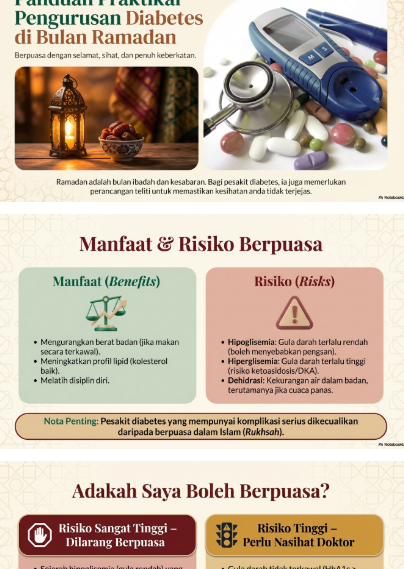
The convenience is out there. All I had to do was take that one step to try it. On my Facebook feed, teachers and PTD officers were the first group of people who used it. They were conveying serious information through infographics generated with NotebookLM.
I had to check it out.
I wanted to see if it was possible to use it to make my PowerPoint slides for an upcoming event at the clinic. It was easy. I uploaded the pdf file,>> click slide deck >> choose language Melayu >> wrote a few prompts, and in less than 10 minutes, a series of slides were produced.
It is important to double-check the information. After downloading the file, I uploaded it to Canva to edit. Since my Canva account is not the PRO version, I had to use the shape and text type of editing instead of the AI services. The slides still came out great on PPT. I am going to learn how to use multiple resources after this and perhaps try to generate audio or video from them.
 Minci Moss